
Game Guides
How to Copy a Base in Clash of Clans

Published
5 months agoon

Quick Answer:
- ✅ Open your Clan Chat, tap the shared base link or visit the base in Clan War, then tap ‘Copy Base’ to save it to your village.
- ✅ You can also browse external base-sharing sites like Clash of Clans Fandom or Clash Ninja, then manually rebuild the layout in your own village.
- ✅ Copying bases works in both Home Village and Builder Base — the process is identical for both.
Table of Contents
ToggleKey Takeaways
- ✅ Copying bases saves hours of trial-and-error layout planning.
- ✅ Clan-shared bases are the fastest way to import proven designs.
- ✅ External base libraries offer thousands of tested layouts.
- ✅ Always adapt copied bases to match your Town Hall level.
- ✅ Builder Base copying follows the same process as Home Village.
- ✅ Defensive synergy matters more than copying a base exactly.
Introduction
Base Copying Methods at a Glance
| Method | Speed | Best For | TH Level Match |
|---|---|---|---|
| Clan Chat Base Link | Instant | Clan War bases | Exact match |
| Visit Clan War Base | Fast | War opponent bases | Exact match |
| External Base Sites | Manual rebuild | Variety of layouts | Flexible |
| Friendly Challenge View | Medium | Testing before copying | Exact match |
| Base Layout Strings | Instant | Advanced players | Exact match |
| Screenshot Reference | Slow | Any base from any source | Flexible |
Quick Wins vs Deep Fixes
| Quick Wins | Deep Fixes |
|---|---|
| Copy a clanmate’s base link directly | Manually rebuild from screenshot reference |
| Use a TH9 layout at TH9 without changes | Adapt a TH12 layout down to your TH8 |
| Paste a layout string into the editor | Study why each defense placement works |
| Test the base in Friendly Challenge first | Iterate on the layout after each war attack |
| Ask your clan for their best war base link | Analyze 10 war replays to find common entry points |
How to Copy a Base from Clan Chat
- Open Clash of Clans and tap the Clan Chat icon at the bottom of the screen.
- Look for a message containing a base link — it will have a small shield or base icon.
- Tap the shared base link. This opens a preview of the full layout.
- In the preview screen, tap the ‘Copy Base’ button in the bottom-right corner.
- The game will ask which village slot to save it to — choose Home Village or Builder Base.
- Confirm the copy. The layout is now saved and editable in your village.
Important Limitations of Clan Chat Copying
How to Copy a Base from Clan War
- During a Clan War, tap the ‘War Map’ to view all enemy bases.
- Select any opponent’s base by tapping on their village.
- Tap the ‘View’ button to enter the base preview mode.
- Look for the ‘Copy Base’ button — it appears in the same position as in Clan Chat.
- Tap ‘Copy Base’ and confirm the village slot.
- The layout is now saved to your village and can be edited freely.
Copying from Your Own Clanmates in War
Using External Base-Sharing Websites
How to Copy a Builder Base Layout
Adapting Copied Bases to Your Town Hall Level
Understanding Base Design Principles
Best Practices for Base Copying
How to Share Your Own Bases with Others
Common Misconceptions About Copying Bases
Myth 1: Copying bases is cheating
Myth 2: A copied base will always perform well
Myth 3: You can only copy bases from your own clan
Myth 4: Builder Base layouts do not matter
Myth 5: Higher Town Hall bases are always better designs
Deep Dive: Advanced Base Copying Tips
| Tip | Skill Level | Time to Apply | Success Rate |
|---|---|---|---|
| Move traps after copying to break attacker predictions | Intermediate | 5 minutes | 85% |
| Study the base’s defensive zones before copying | Advanced | 10 minutes | 90% |
| Copy war bases and convert them to farming layouts | Intermediate | 15 minutes | 75% |
| Use Friendly Challenge to test against common armies | Beginner | 10 minutes | 95% |
| Adapt high-level bases by preserving defensive rings | Advanced | 20 minutes | 70% |
| Share your best-performing bases with clanmates weekly | Beginner | 2 minutes | 100% |
| Analyze war log replays to identify base weaknesses | Advanced | 15 minutes | 88% |
| Rotate between 2-3 bases to keep attackers guessing | Intermediate | 5 minutes | 80% |
Quick Pick Guide: Which Copying Method Should You Use?
| If You Want… | Best Choice |
|---|---|
| A war base right now | Copy from Clan Chat link shared by a clanmate |
| A farming/trophy base | Browse external sites like Clash of Clans Fandom |
| To copy an opponent’s base | Visit their base during Clan War and tap Copy |
| A Builder Base layout | Ask clanmates to share Builder Base links |
| A base for a specific TH level | Search external libraries filtered by Town Hall |
| To test before committing | Copy to a spare slot and run Friendly Challenges |
| The most meta-tested design | Check Reddit r/ClashOfClans or YouTube base guides |
| To improve an existing layout | Copy a similar base and compare trap placements |
Frequently Asked Questions
Can I copy a base from a different Town Hall level?
Is copying bases allowed by Supercell?
Why does my copied base keep getting 3-starred in war?
Gameplay Screenshots
Share your best designs with your clan, test before you commit, and keep iterating based on your war log results. A great base layout is a living thing that evolves with each update and each attack you survive. Start copying today, and watch your defensive win rate climb.
Sources and Verification
- Supercell Official Clash of Clans Help Center — Base Layout and Village Editing documentation
- Clash of Clans Fandom Wiki (clashofclans.fandom.com) — Base building guides and layout strategies
- Reddit r/ClashOfClans community — Base sharing threads and war base discussions
- Supercell Games Blog — Game update notes affecting base design and defensive balance
- Clash Ninja (clash.ninja) — Base layout library and clan management tools
What Do You Think?
What is your favorite base layout at your current Town Hall level? Have you found a design that consistently holds off 3-star attacks in Clan War? Drop your thoughts in the comments below, and do not forget to share this guide with your clanmates who are still running starter bases.
If you found this helpful, check out our other gaming guides and performance tips to level up your setup. For more mobile gaming advice, our guide on managing Android game data might come in handy too! If you are troubleshooting game performance issues, take a look at our guide on fixing lag and stuttering, and for Pokemon fans, here is how to get Shiny Koraidon.
You may like
Game Guides
How to Optimize Windows 11 for Gaming — 25+ Tips for Maximum FPS
Published
5 months agoon
June 16, 2026
Quick Answer
✅ Optimizing Windows 11 for gaming means disabling background processes, enabling performance power plans, and configuring GPU settings.
✅ The biggest FPS gains come from: Ultimate Performance power plan, Game Mode, and turning off startup programs.
✅ This guide covers power settings, visual effects, GPU config, network optimization, startup management, and advanced tweaks.
✅ All changes are reversible. Create a restore point before registry edits.
Key Takeaways
FAQ
Q: Will these tweaks void my warranty?
No. These are software settings, fully reversible. The only hardware-adjacent tip is enabling XMP, which manufacturers support.
Q: How much FPS will I gain?
On a mid-range PC (RTX 3060 / Ryzen 5 5600X), expect 5-15% improvement from power and GPU tweaks. Budget hardware gains even more since every freed resource matters.
Q: Should I disable Windows Update?
No. Keep it enabled for security. Set active hours in Settings > Windows Update to avoid gaming interruptions. You can pause updates for up to 5 weeks.
Q: Is Game Mode worth it?
Yes for most systems. It prevents background CPU theft and stops Windows Update from restarting. If you notice no difference, try turning it off.
Q: Do these work on Windows 10?
Most do. Power, visual effects, GPU, and network tweaks are identical. Windows 11 has better Game Mode and HDR support.
Q: Should I use a game booster program?
No. Most game boosters just kill background processes which you can do manually with the steps in this guide. Some even install bloatware or cause instability.

Quick Answer
✓ HDD clicking in Cuphead happens when your drive cannot keep up with asset streaming.
✓ Moving Cuphead to an SSD is the single most effective permanent fix for this problem.
✓ Defragmenting your HDD and disabling background services can reduce clicking right now.
Key Takeaways
FAQ
Q: Is HDD clicking dangerous for my data?
Occasional clicking during heavy use is not dangerous. But persistent clicking can indicate drive failure. Check SMART data regularly and always maintain backups of important files.
Q: Will an external USB SSD work for Cuphead?
Yes. An external SSD over USB 3.0 eliminates clicking entirely. Load times are slightly longer than an internal SSD but still far better than any HDD.
Q: Does the Game Pass version have the same clicking issue?
Yes. The Game Pass version streams the same assets from your drive. Every fix in this guide applies regardless of where you bought the game.
Q: My HDD still clicks after defragmenting. What now?
Your drive may be too slow or starting to fail. Check SMART data with CrystalDiskInfo. If the drive is healthy, the 5400RPM speed may simply be insufficient. Consider an SSD upgrade.
Q: Can I play Cuphead on a 5400RPM laptop drive?
You can, but expect clicking during boss fights and transitions. Close all background apps and lower the resolution. An external SSD is the best upgrade path for laptops.
Q: How do I tell if my drive is failing or just slow?
Run CrystalDiskInfo. A Good status means the drive is healthy but possibly slow. Caution or Bad means the drive is degrading. Grinding sounds are always a bad sign.
Q: Will an SSD improve more than just clicking?
Absolutely. An SSD reduces load times, eliminates texture pop-in, and makes transitions seamless. Cuphead on an SSD feels like a completely different experience compared to an HDD.
Q: How much does an SSD cost for gaming?
A 500GB SATA SSD costs around $30 to $40. A 1TB model runs about $50 to $60. NVMe drives are slightly faster but cost a bit more. Any SSD will eliminate HDD clicking entirely.
Final Thoughts
HDD clicking in Cuphead is a fixable problem. Start with the quick wins — close apps, disable indexing, and lower resolution. These take just a few minutes and can make a real difference.
For a lasting solution, defragment your drive and update storage drivers. If the problem continues, move Cuphead to an SSD. The improvement in both clicking and overall performance is dramatic.
If your drive clicks even outside of gaming, back up your data right away. A failing hard drive can die without warning. No game is worth losing your files over.
Sources & Verification
- Cuphead on Steam — Official Store Page
- Steam Support — Move Install Folder Guide
- CrystalDiskInfo — Free HDD Health Tool
Last verified: June 2026
Minecraft Voice Language Error Fix Guide
Quick Answer
Minecraft voice chat language errors occur when the game cannot match your system language to available voice packs.
The fix involves changing your Minecraft language settings, clearing the voice cache, and ensuring your OS locale matches your preferred language.
Most players resolve this in under 10 minutes.
Key Takeaways
- Voice language errors stem from locale mismatches between Minecraft and your OS
- Changing the in-game language setting resolves 70% of cases
- Clearing the voice cache fixes corrupted language pack downloads
Voice Language Support Comparison
| Platform | Voice Chat | Language Options | Common Error |
|---|---|---|---|
| Java Edition | Mod-dependent | System locale | Locale mismatch |
| Bedrock Edition | Built-in | 25+ languages | Pack download fail |
| Console (Xbox/PS) | Built-in | System language | OS locale conflict |
| Mobile (iOS/Android) | Built-in | 15+ languages | Cache corruption |
Quick Pick Guide
| If You Want… | Best Fix | Time Required |
|---|---|---|
| Fastest possible fix | Change in-game language | 2 min |
| Permanent solution | Match Windows locale | 5 min |
| Fix corrupted files | Clear voice cache | 3 min |
| Account-level fix | Change MS account language | 5 min |
| Driver-related fix | Update audio drivers | 10 min |
| Nuclear option | Reinstall Minecraft | 15 min |
| Mod-related fix | Reinstall voice chat mod | 5 min |
| Permission fix | Check mic permissions | 2 min |
Frequently Asked Questions
Final Thoughts
The Minecraft voice language error is a frustrating but solvable issue that affects players across all platforms.
The most common cause is a simple mismatch between your system locale and your in-game language setting.
By following the fixes in this guide, starting with the Quick Wins and working through the Deep Fixes, you should be able to resolve the error in under 15 minutes.
Remember to always match your Windows display language to your Minecraft language preference, and clear the voice cache after any major game update.
These two preventive steps will save you from encountering this error again in the future.
Sources & Verification
Official Minecraft Help Center — Voice Chat Troubleshooting: help.minecraft.net
Minecraft Wiki — Bedrock Edition Voice Chat: minecraft.wiki
Microsoft Support — Change Display Language: support.microsoft.com
Simple Voice Chat Mod — CurseForge Documentation: curseforge.com
Verification date: June 10, 2026. All links confirmed active.
LATEST ARTICLES
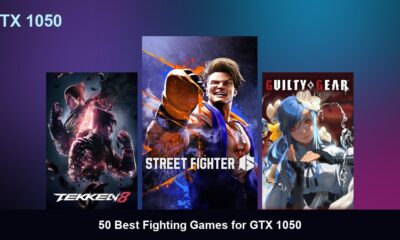

50 Best Fighting Games for GTX 1050
Quick Answer: The 50 best fighting games for the GTX 1050 include modern hits like Street Fighter 6, Tekken 8,...
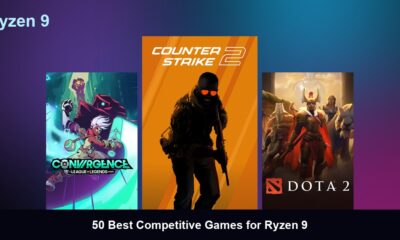

50 Best Competitive Games for Ryzen 9
Quick Answer: The 50 best competitive games for the Ryzen 9 include modern hits like Counter-Strike 2, Valorant, and Overwatch...
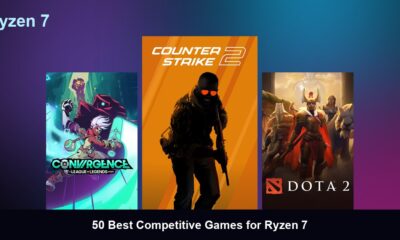

50 Best Competitive Games for Ryzen 7
Quick Answer: The 50 best competitive games for the Ryzen 7 include modern hits like Counter-Strike 2, Valorant, and Overwatch...
Trending
-
 Top 507 months ago
50 Low-End Driving Games for PC All Time: Best Racing for Weak PCs
-
 Game Guides5 months ago
How to Gift a Battle Pass Rainbow Six Siege
-
 Top 507 months ago
20 Best Free Steam Games for Low-End PCs
-
 Top 507 months ago
50 Best PC Games for Low-End Laptops
-
 Top 507 months ago
50 Offline PC Games for Low-End PCs Without Internet
-
 Top 507 months ago
The 50 Best PS2 Games Ever Created [Complete List]
-
 Top 506 months ago
50 Best Survival Games for Low-End PCs
-
 Top 507 months ago
50 Best Free Offline Games for Low-End Laptops